Problem
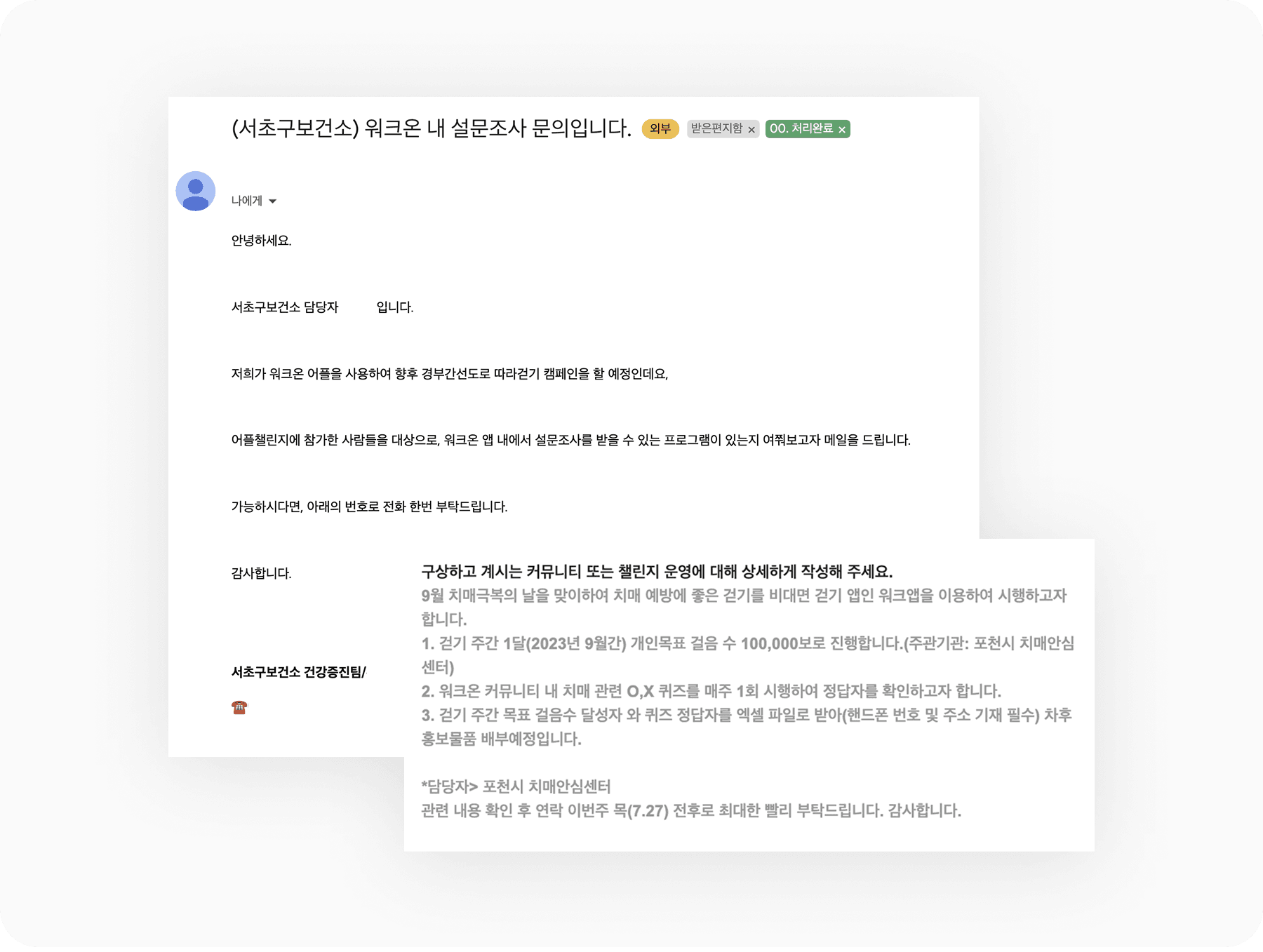
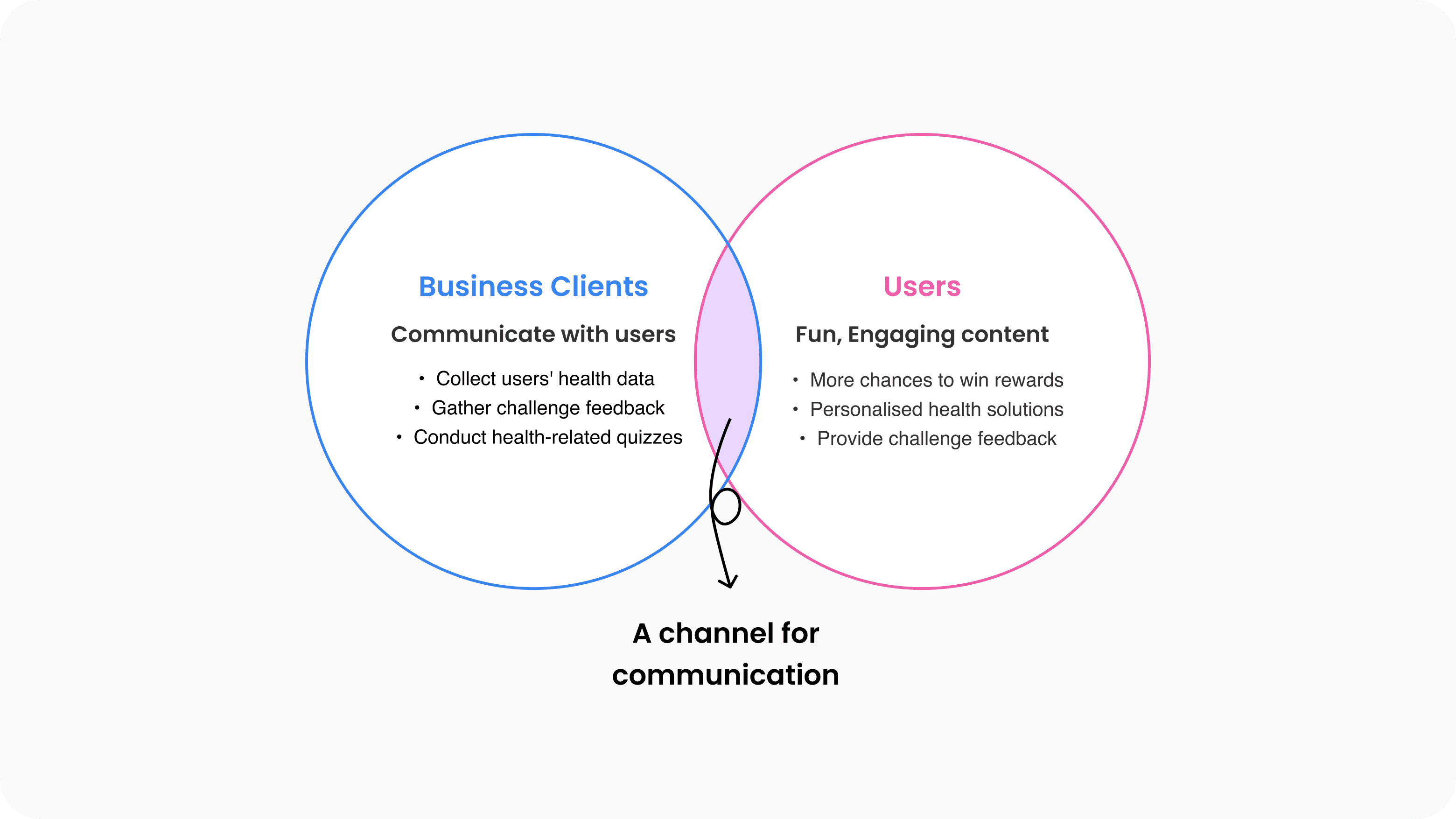
Many clients showed interest in having a communication channel to collect feedback from challenge participants and educate the community through health-related quizzes.
At the same time, there were few opportunities for users to engage with content and win rewards. This became a great opportunity to expand our content offering.
Impact
Here's some stats to demonstrate the scale and impact of this work:
23% of business clients
adopted the feature within the first 3 months
(Clients: 400+ per year)
10K+ users
Needs
Solution

Solution Detail
Data portal
For business clients
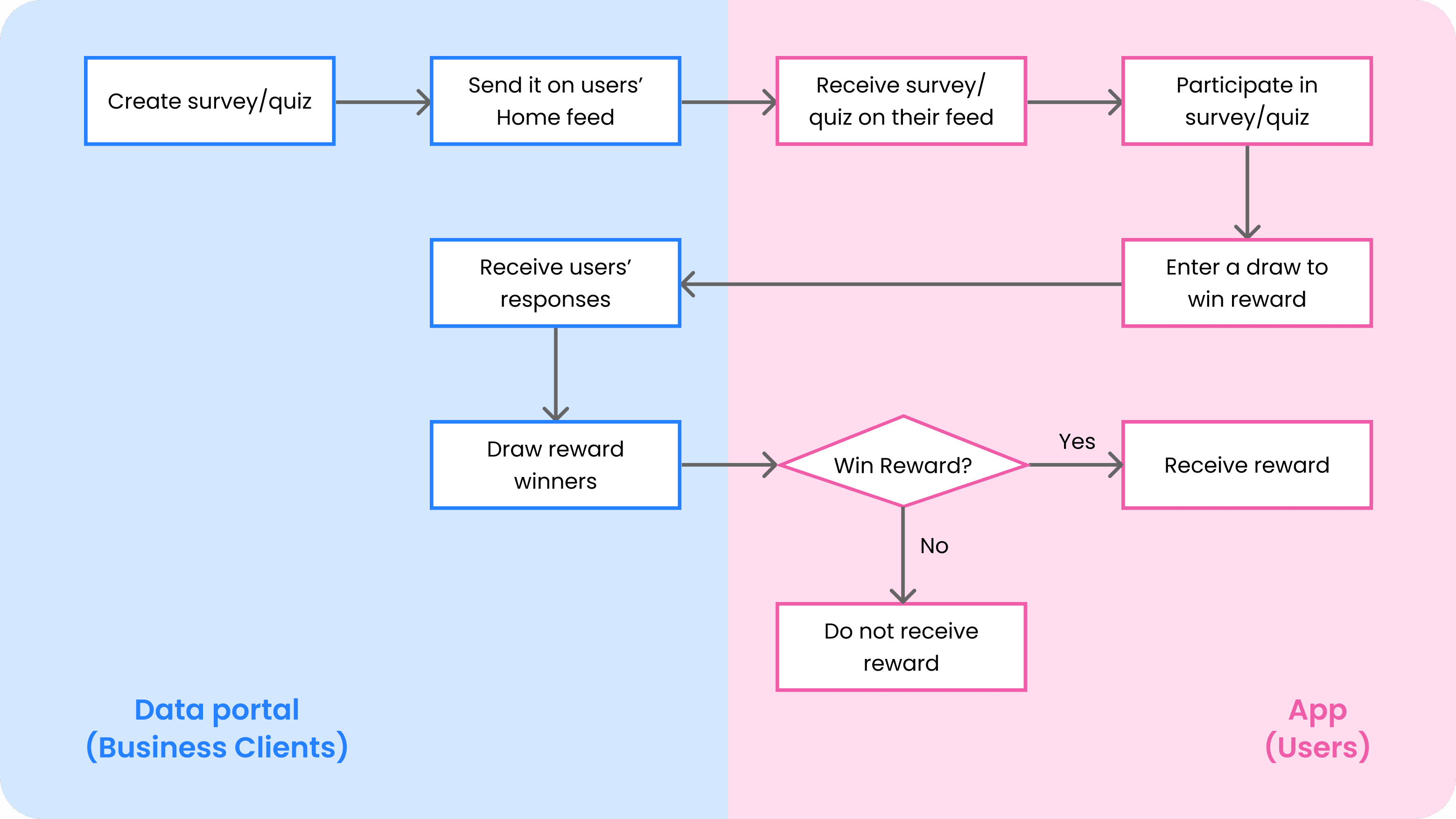
Business clients can create surveys and quizzes, view responses, and give out rewards.
Goal: Simple and easy process, clear and intuitive presentation of data
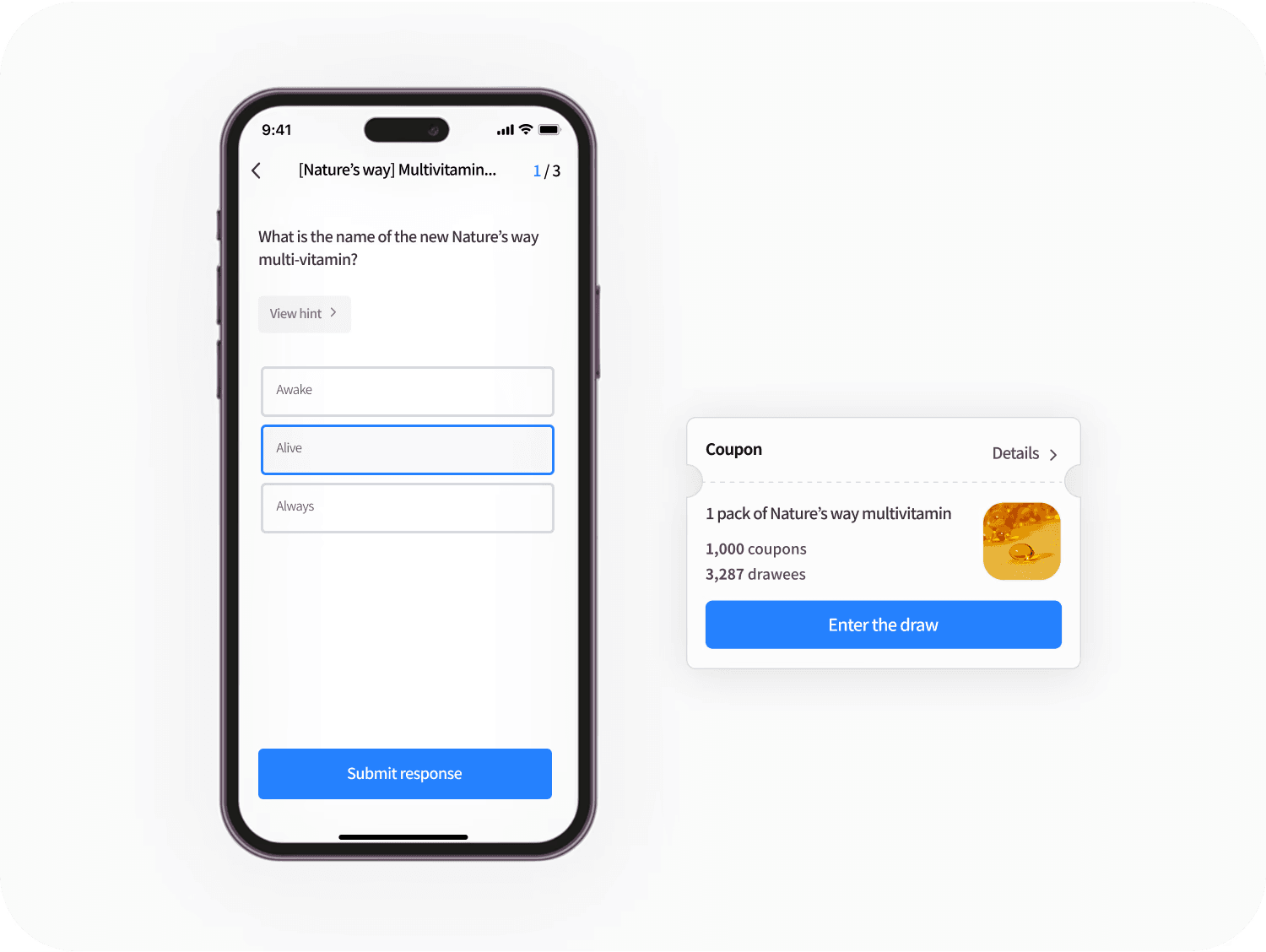
App
For users
Users can participate in surveys and quizzes to win rewards.
Goal: A simple, user-friendly flow for answering questions and entering the draw
Flow Chart
Wireframe
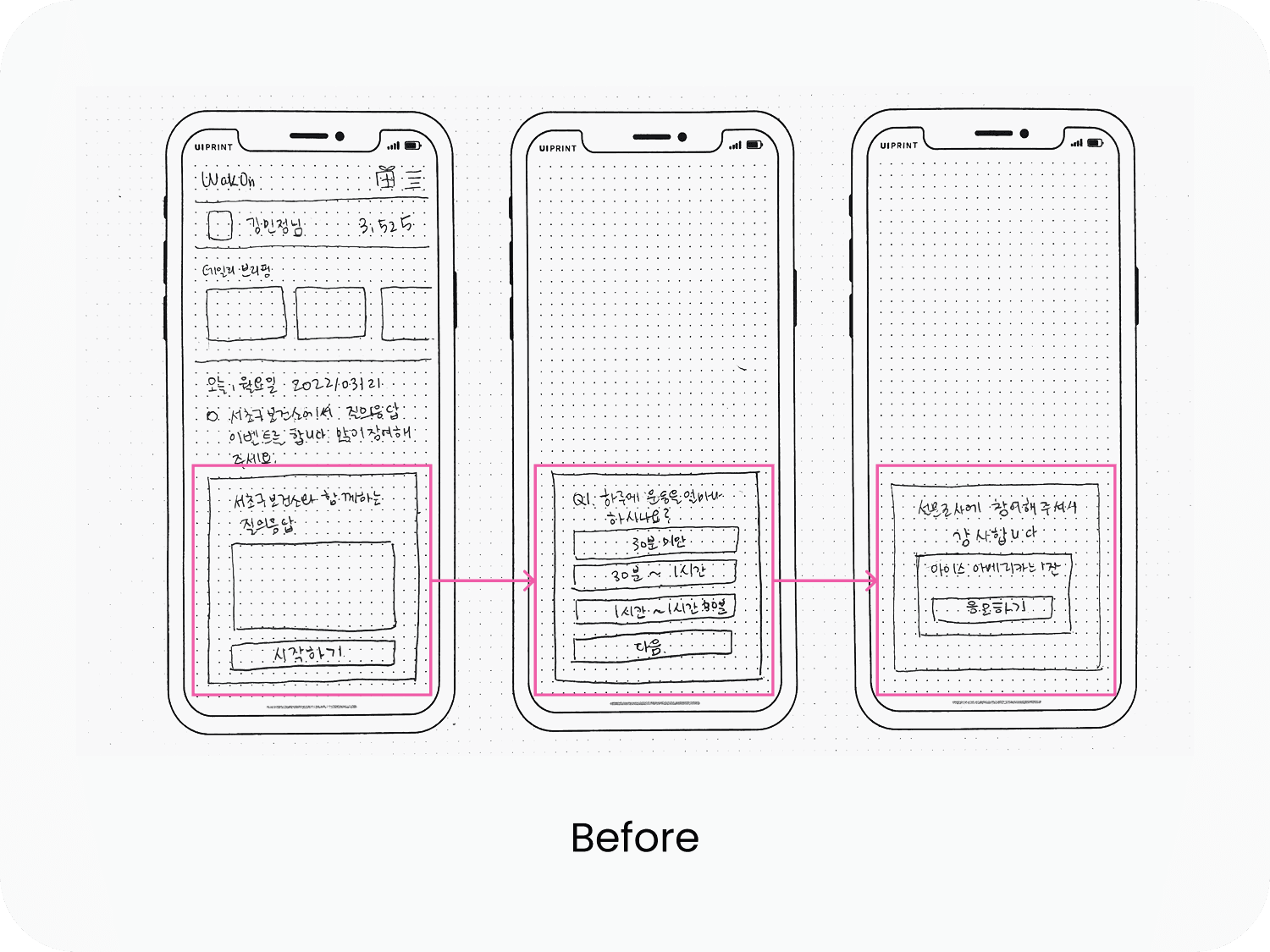
Participate on the Home page
Initially designed to be accessible on the Home page, the feature was moved to a separate page due to space limitations.

Jump to a new page
Moving the feature to a separate page enables to ask longer questions and provide more detailed guide.
Final design- Data Portal
For business clients
1. Create survey&quiz
Create questions by using template and checking real-time preview
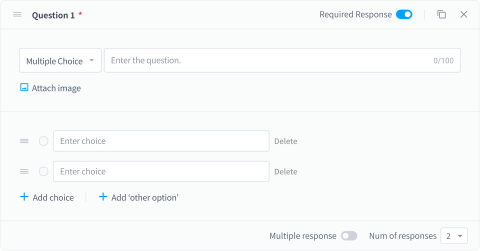
Question Cards
Business clients can create questions in various formats, including multiple choice, open-ended, scale, date etc.
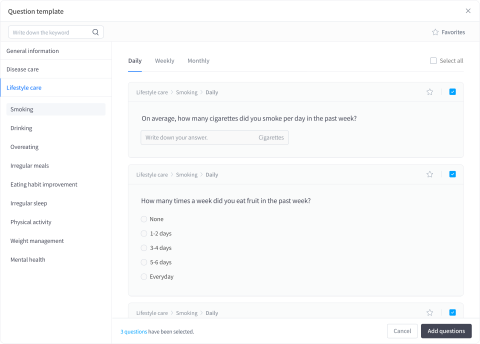
Question Template
Business clients can easily create questions using ready-made templates and customise them to their needs.

Real-time Preview
A live preview shows how questions will appear in the app as they are created.
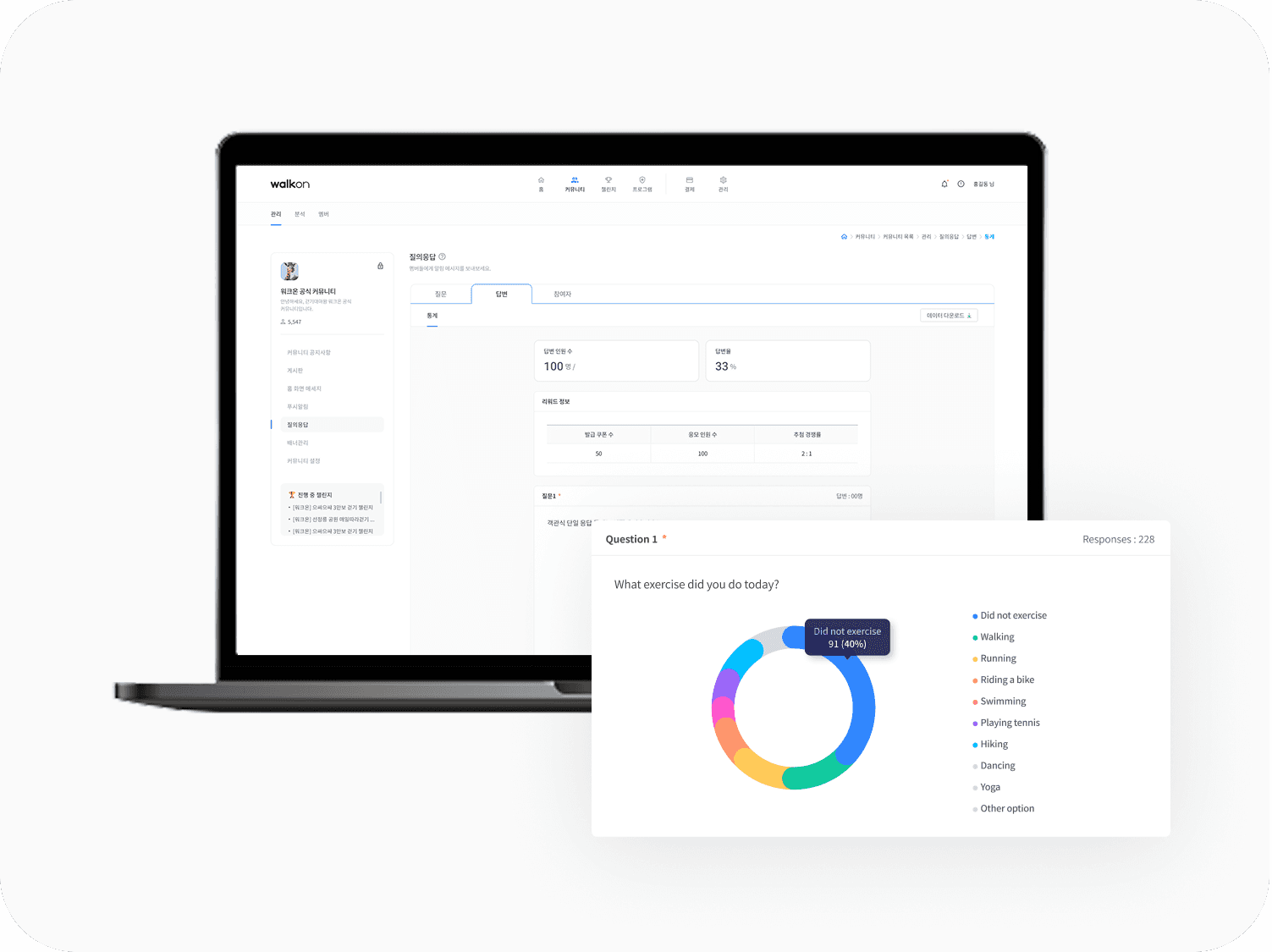
2. Responses
View user responses in graphs and charts
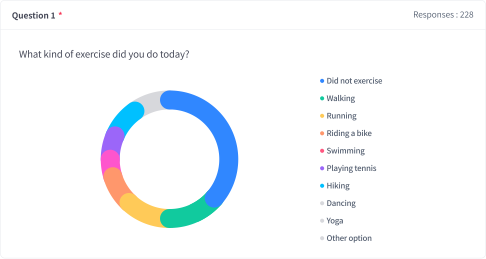
Statistics for multiple choice question
Business clients can view responses for each question through visual graphs and charts. They can also access participant information and check individual response.
3. Draw lots
Draw reward winners
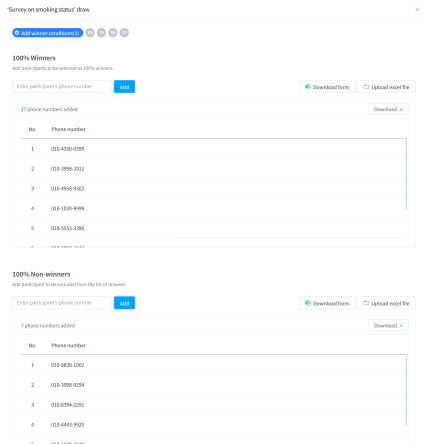
After the survey or quiz ends, business clients can draw reward winners. They can exclude abusers or previous winners and include users who participated but forgot to enter the draw.
Once winners are selected, coupons can be sent directly to their phones.
Final design- App
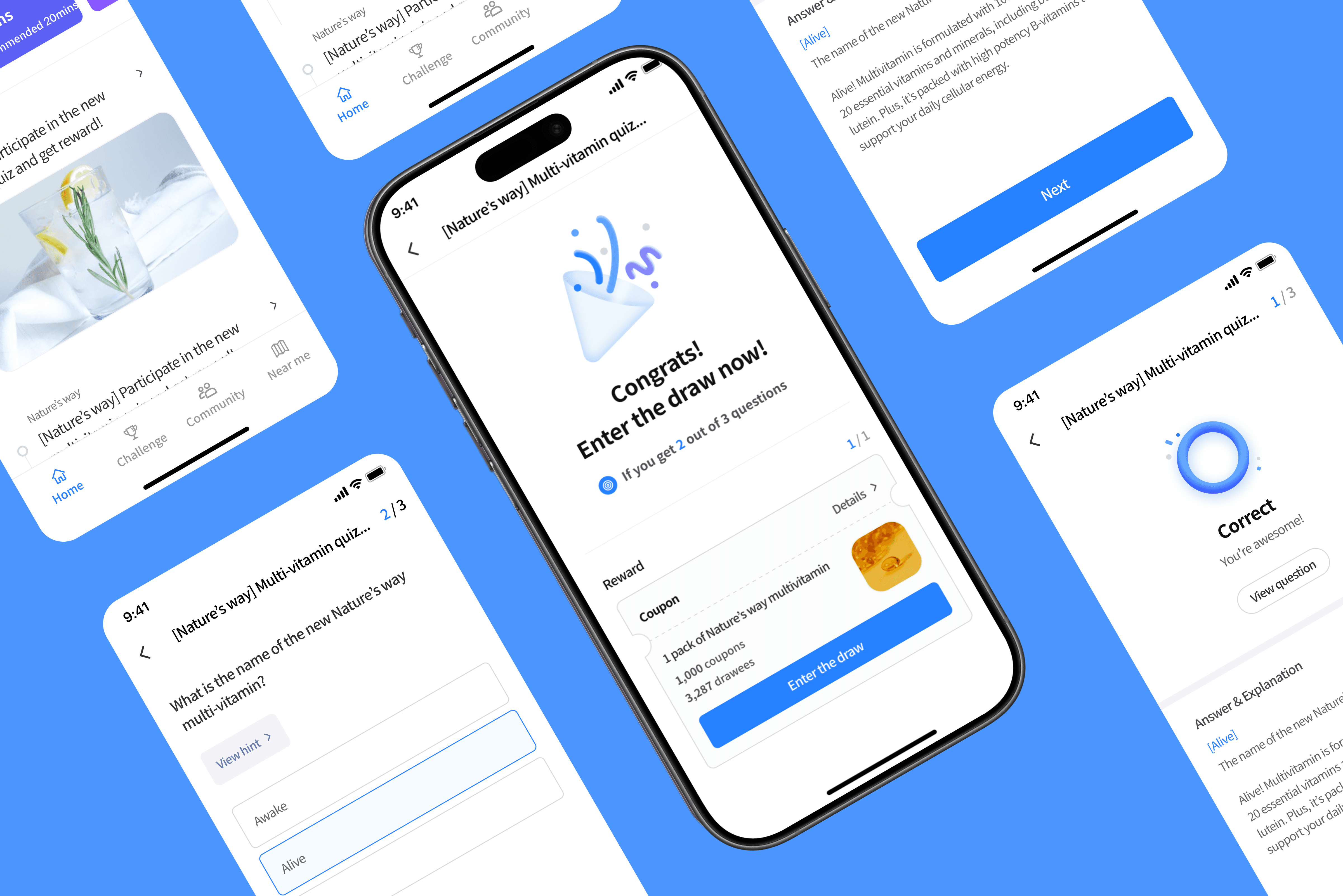
For users
1. Participate
Participate through the Home feed

Users can access surveys and quizzes from a message in the home tab, where they’ll find details like instructions and rewards.
2. Questions
Answer questions and view hint
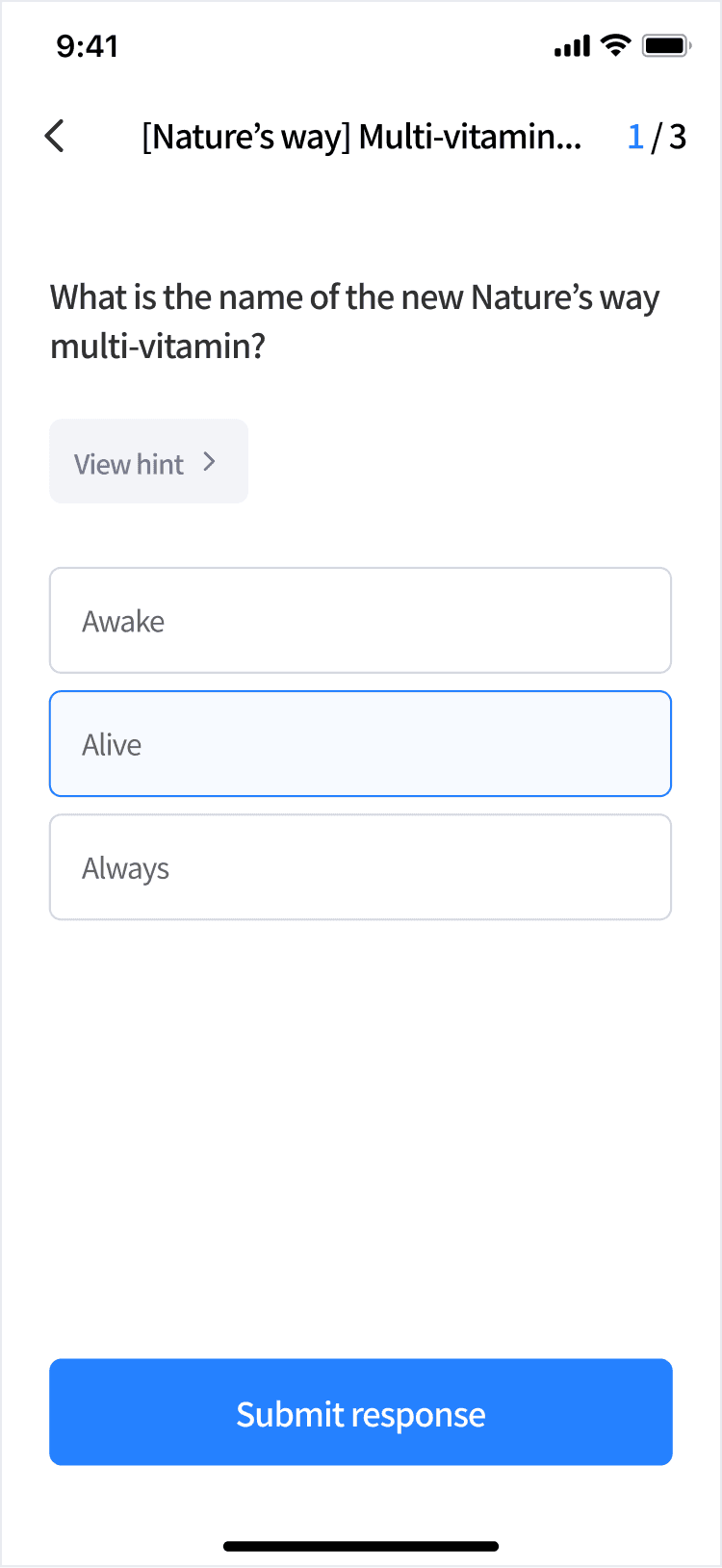
In quizzes, business clients can add hints and links to drive traffic to their website when promoting their brand.
3. Answer & explanation
Check the correct answer and explanation for quiz
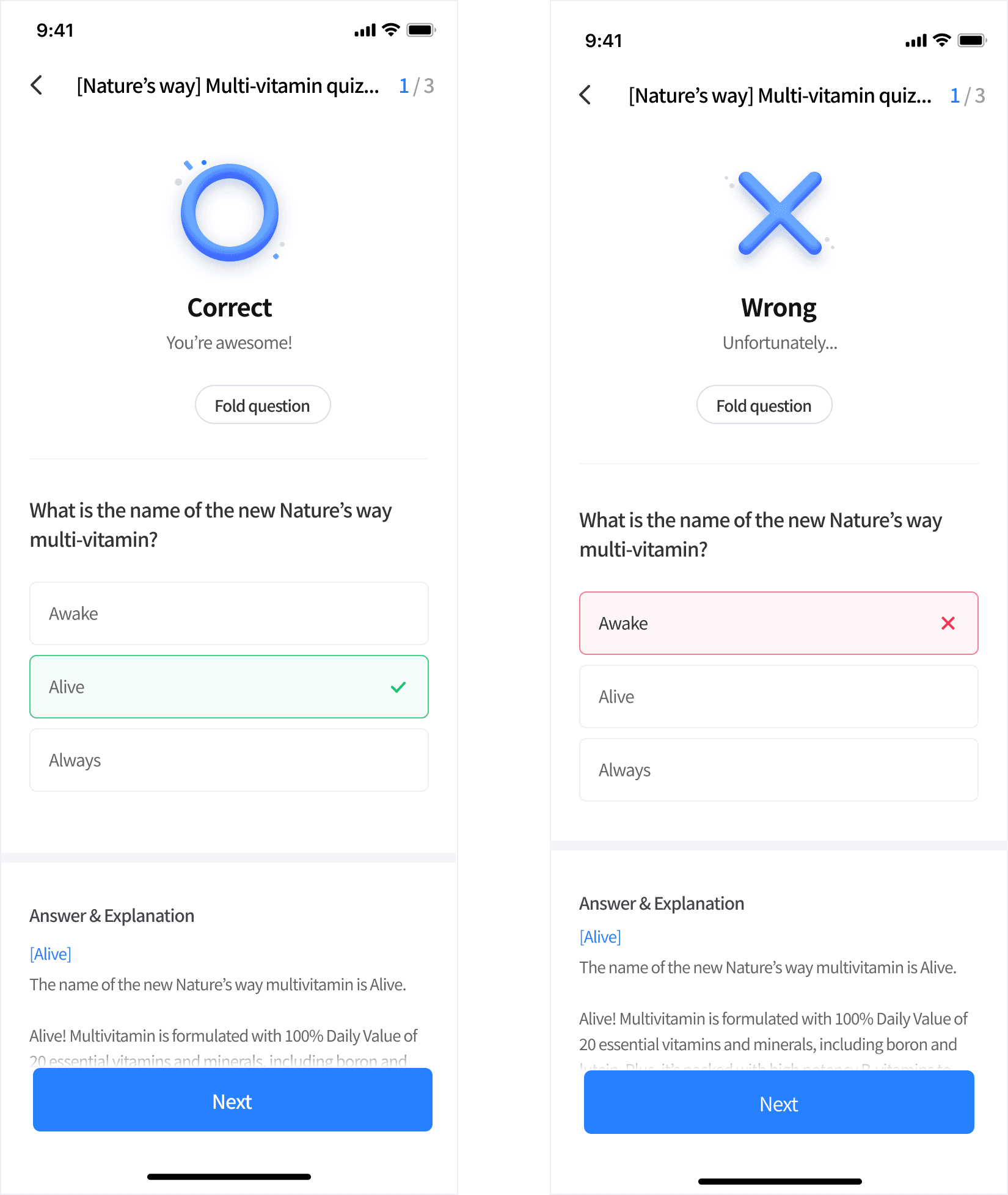
For quizzes, users can view the correct answer and an explanation after submitting their response.
4. Result
View the final result and enter the draw if qualified
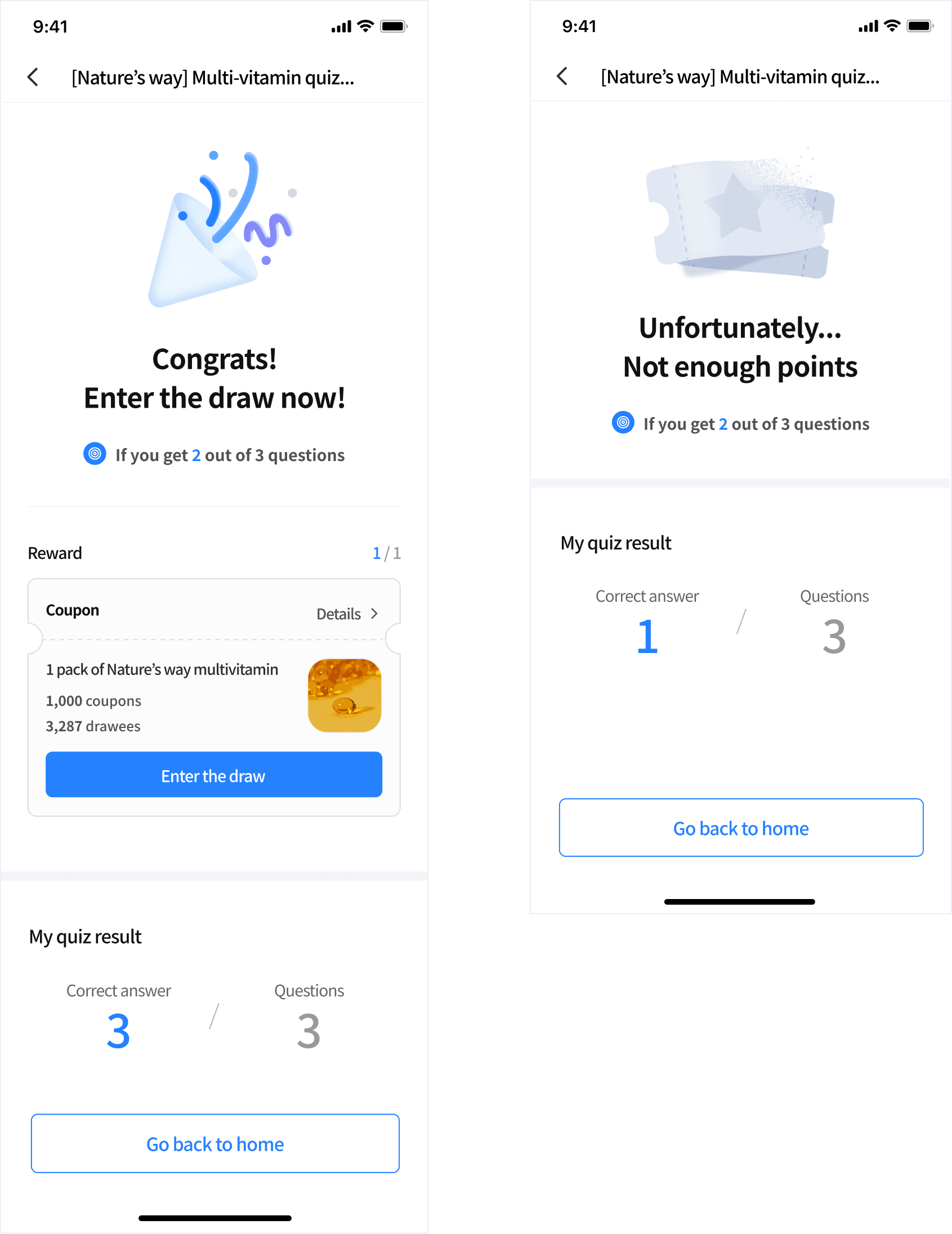
Once users are done answering questions, they can view the final result and enter the draw if they get over the set number of correct answers.
Feedback
“Thanks to the survey&quiz feature, we were finally able to run our dementia awareness campaign. We really appreciated how WalkOn responded to our requests. They didn’t just give us a one-size-fits-all solution, they actually listened, made adjustments, and made it work for our community.”
Pocheon Dementia Center
Previous Project
WalkOn · 2023 - 2024 · App, Web